What it does
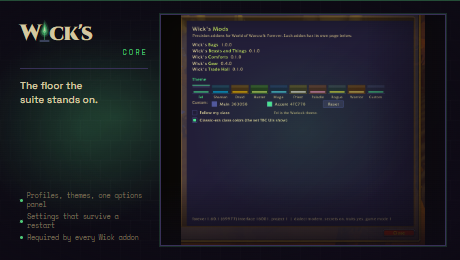
- Brand chrome, profiles and themes
- One options panel for the suite
- Client dialect shim and restriction guard
- Minimap launcher and version broadcast
- Optional settings store in macros
Latest changes
0.12.0 2026-10-06
Added
- Classic, a look in the game's own art: its window frames, title bars and close buttons, its tooltip border round panels, its buttons and check boxes, its font and gold. The art comes from the client, so on TBC Anniversary it is that client's and on Forever Forever's. Every Wick addon follows it, for players who want what the suite does without a look of its own. A Wick window of its own (the bags) wears the game's window frame and background, and the panels inside it the game's insets; buttons made from the game's templates keep its art at any size.
0.11.1 2026-10-05
Fixed
- Every Wick addon shows up as a broker feed (LibDataBroker) when a broker library is installed, including the one Wick's UI brings for its info panels. WickCore looked for the library once, as it loaded, before any addon that brings one, so none of the launchers were ever published and none could go in a broker slot.
- Picking Wick Modern or Wick OG keeps the theme you have. It had been switching you to your class theme, so on TBC a try of Wick Modern and a return to Wick OG left you on your class colour instead of Fel. Coming back from a look with its own colours (Rebel, Crisp and the rest) gives you the Wick theme you had before that look.
0.11.0 2026-10-03
Added
- TBC Classic Anniversary. WickCore loads on 2.5.6 as well as Forever, from one folder and one version. The client is the same engine generation as Forever with the Classic interface on top, so the modern dialect, the Settings panel and Edit Mode are all there; what it lacks is read off at load as capability flags (
Client.hasEditMode,hasSettings,hasAuraContainer,hasPing,hasBossFrames,hasObjectiveTracker), which products branch on instead of the flavour. - A TBC-shaped stub client for the offline harness (
run.py --tbc,--allfor every shape). - Movable frames. A product registers a bar, button or counter the player can drag (
Chrome:RegisterMovable, orA:RegisterMovableon its addon object), with where it sits as the default. A UI with movers of its own (Wick's UI) lists it with everything else and takes over its place, telling the product to stand its own drag down; without one nothing changes.Chrome:RestorePositionleaves a claimed frame alone.
Changed
- On TBC a character starts on Wick OG in fel green, the look every TBC addon has always had, so an update changes nothing a player did not ask for. Modern and the class colours are one click away in /wickcore options. Forever still starts on Wick Modern.
- Combat is combat on every client:
Restrict:IsCombat()reads combat lockdown as well as the restriction state, the regen events are watched everywhere, and one Combat notification fires per change of state whichever event carried it. TBC has the restriction API and never restricts anything. - The macro settings store only arms on Forever, the client it was written for. Elsewhere it says it is not needed and never offers.
- The line naming a blocked or forbidden call now prints only with /wickcore debug on. The record is kept either way for /wickcore refused.
- The options root no longer names a client.
Fixed
- Opening a Custom colour picker switched the theme to Custom before anything was picked, and Cancel put the colours back but not the theme.
Dialect.IsSpellKnown(id, true)passed a boolean whereC_SpellBook.IsSpellKnownwants a spell bank, so every pet spell read as unknown.
The full changelog is in the repository.
More from the suite
Wick's BagsWick's Beasts and ThingsWick's CD TrackerWick's Combat LogWick's ComfortsWick's Demons and ThingsWick's GearWick's LedgerWick's Macro BuilderWick's Poisons and ThingsWick's Quest KeyWick's RemindersWick's Seals and ThingsWick's Stances and ThingsWick's StatsWick's SurvivorsWick's TBC BIS TrackerWick's Totems and ThingsWick's Trade HallWick's Travel FormWick's UIWick's Wardrobe