← Wick's Mods
World of Warcraft · Forever
Wck's
UI

The whole interface, in one look. Action bars, unit frames, nameplates, chat, the minimap and the game's own windows, all drawn together, and every part of it optional.

Get it on CurseForge → See the looks Discord →
Wick Modern

Eight to start from. Then change the colours, the fonts, the bar textures, the sizes, what every line of text says and where everything sits. The look you end up with is yours.

A Tour

Point at anything

Real screenshots from the game, nothing mocked up. Hover a number, or a note, to see what it is.

In a fight

Everything you watch while it goes wrong, in one place and one style.
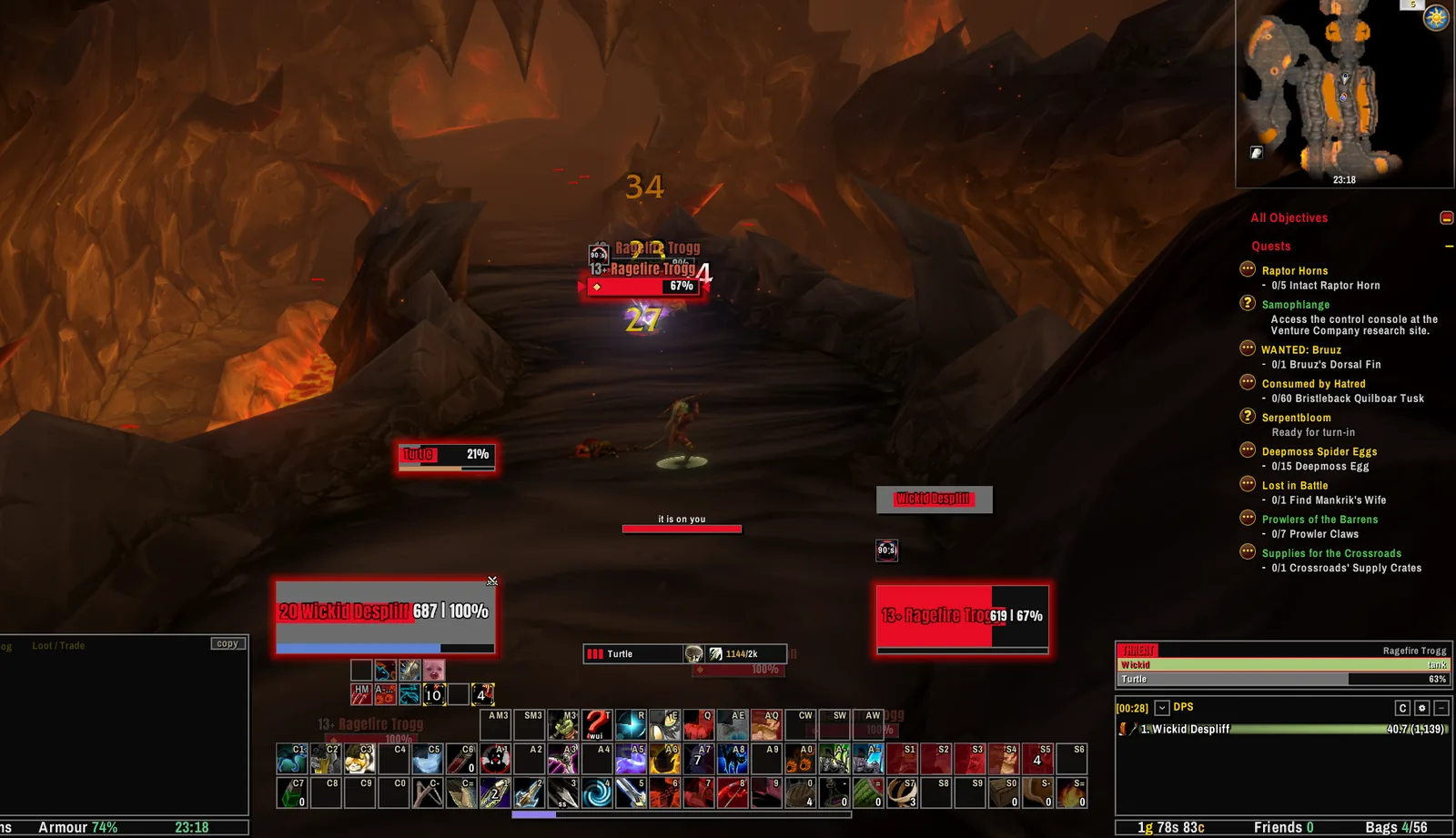
Wick's UI in the Rebel look during a fight in Ragefire Chasm: target nameplate with markers, the threat meter, unit frames, action bars and the minimap.
In a fight · Rebel look
  1. 1
    Your target, markedArrows either side of the plate you are hitting, a separate mark for your focus, and threat colours while you tank.
  2. 2
    A warning before you pullA slim bar of your own threat that says so as you close in on pulling, or when it has gone to you.
  3. 3
    Your frameName, level, health and power, with the text laid out the way you choose.
  4. 4
    Your target's frameCast bar, auras and the text you pick, in the same look as yours.
  5. 5
    Your petIts own small frame, glowing when something turns on it.
  6. 6
    The threat meterYou, your pet and your group on your target, highest first, with the tank marked.
  7. 7
    The damage meterThe game's own meter, dressed in the look and set in its colours.
  8. 8
    Action barsOn the game's own pages and keybinds, so your binds carry over. Spells move up a rank as you train them.
  9. 9
    MinimapIn the look, with the clock, and with other addons' buttons gathered into one flyout.
  10. 10
    QuestsThe tracker in the look's font, easy to read at a glance.
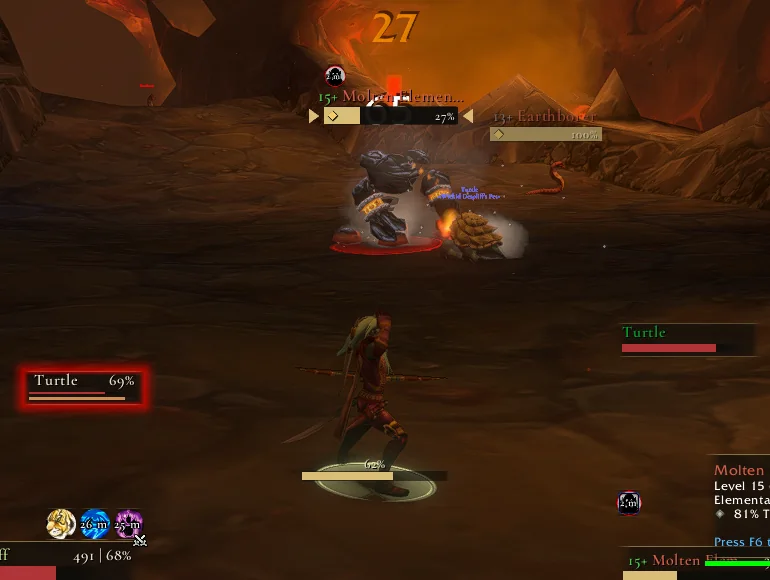
Nameplates close up: a target plate with arrow markers, a second enemy plate, a friendly pet shown by name only, and the pet frame glowing with threat.
Nameplates · Gilded look

Nameplates

Enough to read a pull at a glance, and nothing that gets in the way.

  1. 1
    Target markersThe mob you are on is the one with the arrows, even in a crowd.
  2. 2
    Everyone elseOther plates stay readable and step back, so the target stands out.
  3. 3
    Your auras on themThe debuffs you put up, with their time left.
  4. 4
    Friends by nameFriendly plates as a name only, so your side of the fight stays quiet.
  5. 5
    Combat text in the lookThe numbers over what you hit take the look's font too.
  6. 6
    Threat glowsA frame glows when something turns to it. Here it is the pet, holding the pull.

The game's own windows

Character, spellbook, talents, professions, map, mail, bank, vendors, trainers, friends, guild, the group finder and more, dressed to match. Nothing about how they work is touched.
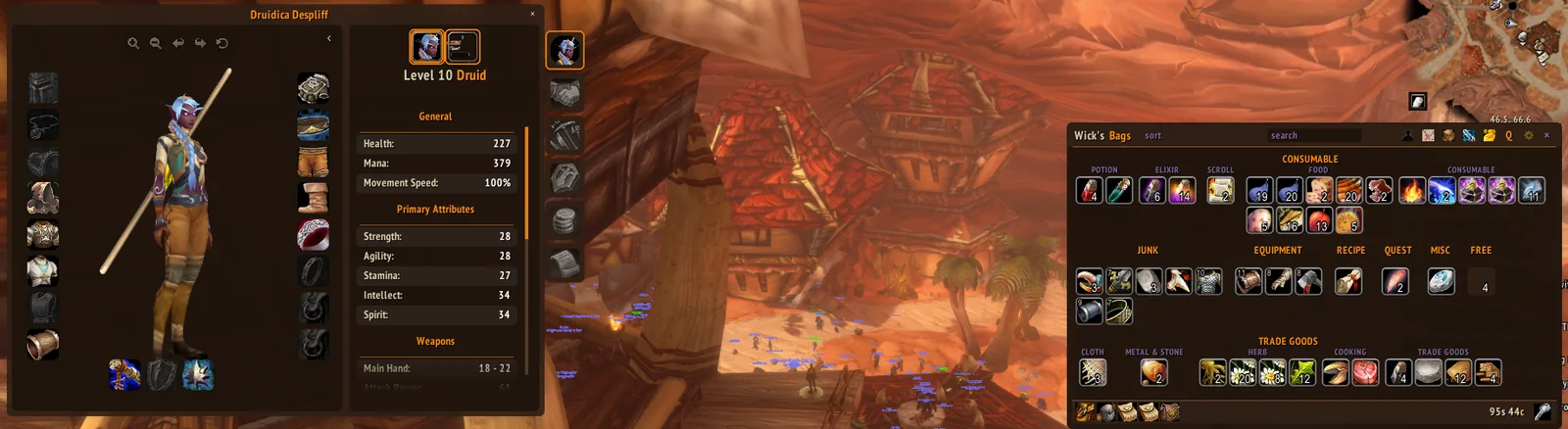
The character window and Wick's Bags side by side in the Wick Modern look.
Windows · Wick Modern look
  1. 1
    The character windowYour model on a clean card, slots as tiles.
  2. 2
    Stats you can readHeadings in the look's accent, numbers in its font.
  3. 3
    Side tabsRedrawn to match, with the one you are on lit.
  4. 4
    Wick's Bags, alongsideThe rest of the suite follows the same look, so nothing sits apart.

Every part has a page

Switch anything off, and whatever you switch off is left exactly as the game made it.
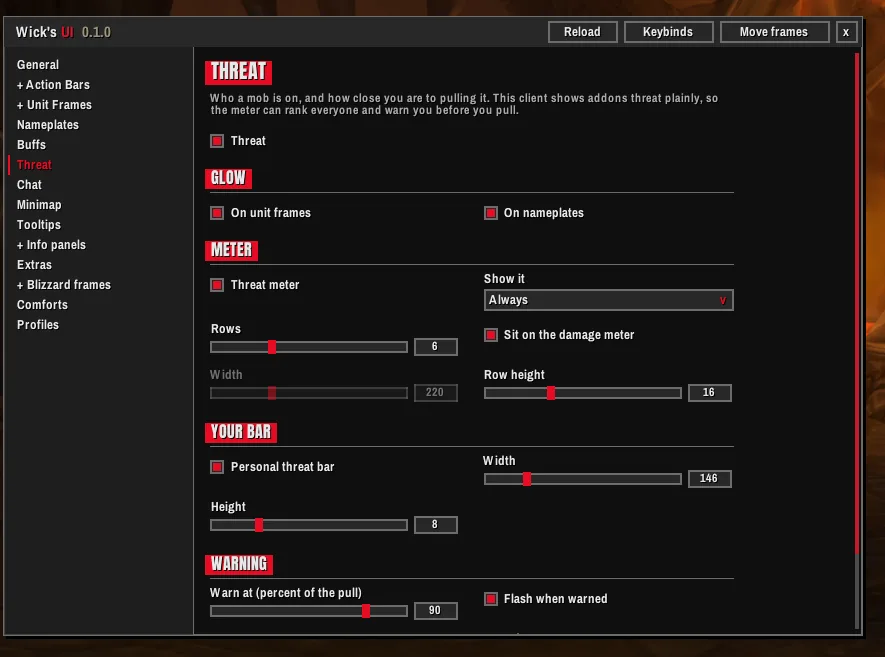
The Threat settings page.
ThreatThe glow, the meter and your own bar, each on its own switch.
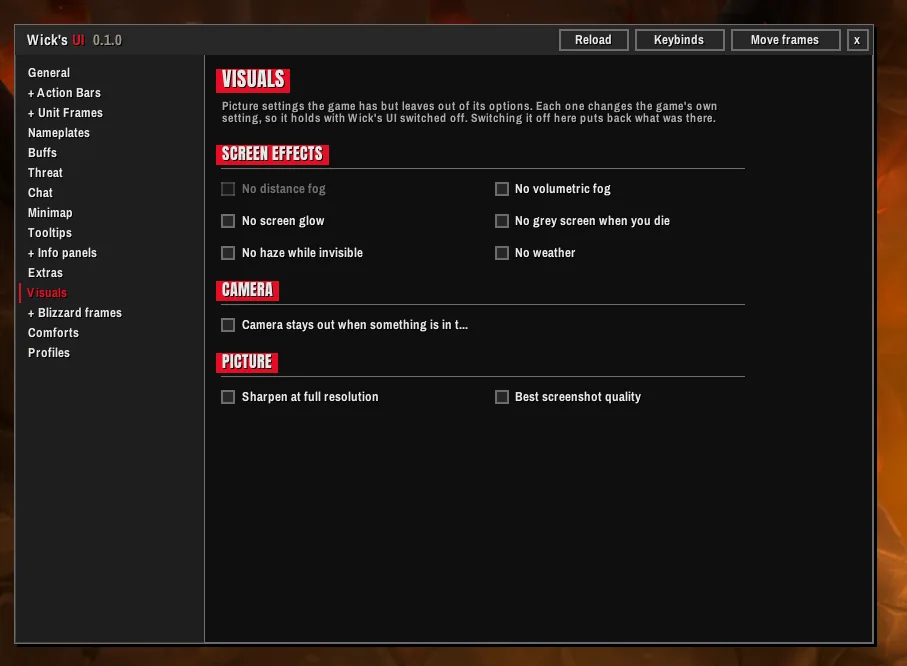
The Visuals settings page.
VisualsPicture settings the game has but leaves out of its options.
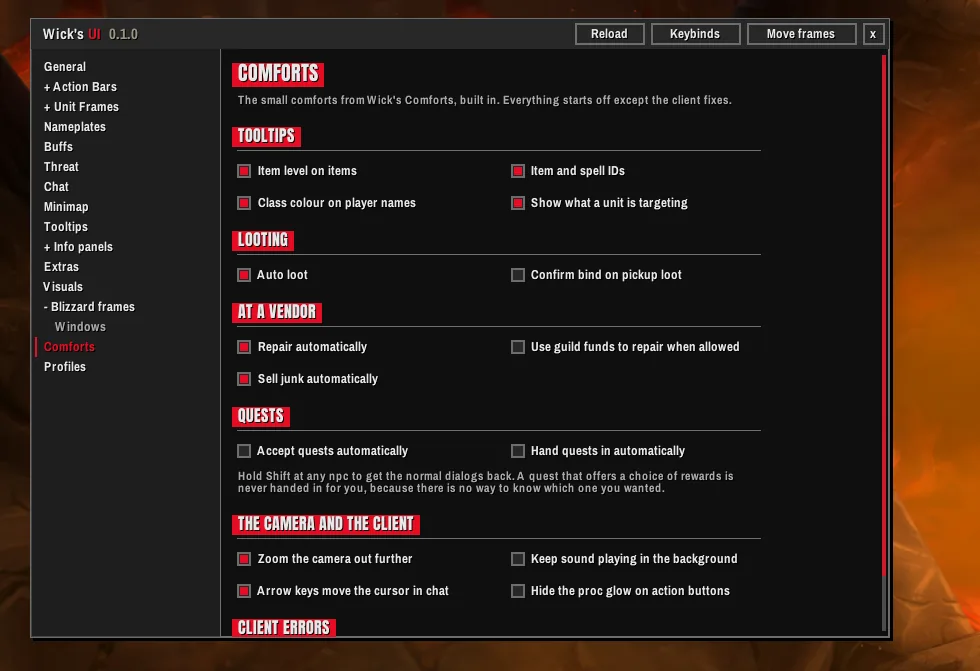
The Comforts settings page.
ComfortsTooltips, looting, the vendor and quests, each off until you want it.
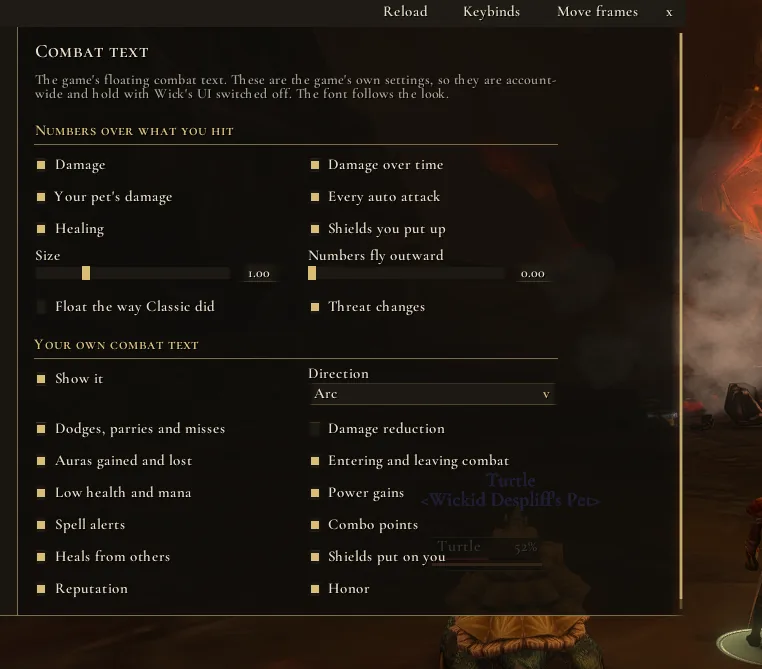
The Combat text settings page.
Combat textThe game's own combat text, with the controls it hides.
What's In It

Everything, your way

Take the lot, or only the pieces you want, and set each one the way you like it. Anything you switch off goes back to the game's own.

Action bars

Your binds, carried over

Built on the game's own action pages and keybindings. Stance and pet bars, fading, and hover keybinding: point at a button and press the key. Spells move up to the new rank when you train it.

Unit frames

Player to boss, party to raid

Player, target, target of target, focus, pet and bosses. Raid frames carry the healer pieces: a debuff you can dispel in the middle, your own heals over time in the corners, missing health, a border on your target.

Nameplates

Read a pull fast

Target and focus markers, class marks, an execute highlight and a lock on casts you cannot interrupt.

Threat

Know before it turns

A ranked meter, your own bar with a pull warning, and glows on frames and plates.

Windows

The game, dressed

The game's own windows in the look, down to menus and the group finder. The damage meter and swing timers too.

Chat & minimap

Tidy edges

Chat that fits its panel, tabs that fit their names, and a minimap with other addons' buttons tucked into one flyout.

Tooltips & info

What you need to know

Tooltips in the look, info panels along the screen edge, and XP and reputation bars with the numbers on hover.

Extras

Small, useful

A raid marker bar that works in combat, a quieter error line in a fight, an AFK screen, hidden picture settings and fuller combat text controls.

Full customization

Start from a look, end up with your own

Your own main and accent colours, fonts and outlines, bar textures and sizes, and what every line of text on a frame says and where it sits. A mover for every frame, and profiles to carry the result to your other characters.

Comforts, built in

The little things

From Wick's Comforts: richer tooltips, auto loot, auto repair and junk selling, quests and the camera. Each one off until you turn it on.

First Login

It asks before it takes over

A short setup, one question to a page. If you already run an addon that does one of these jobs, it asks which one keeps it, and leaves that part alone if you say so.

01
Pick a lookAny of the eight to start from. Change anything after.
02
Class coloursThe game's own, or the Classic era set.
03
ScalePixel perfect, or the game's own.
04
Your bagsWith Wick's Bags on, which bags B opens.
05
Your addonsOther nameplates or bars? You choose which stays.
06
One reloadEvery answer goes in at once.
Built For Forever

Made for Forever

Forever limits what addons can do in a fight more than any version before it. Wick's UI was built for those limits from the first line, not patched to fit them.

01

Keeps working in a fight

Health bars, cooldowns and auras stay up to date in combat, where the game keeps some of that information from addons.

02

The game's windows still work

Only their look changes. Every button and tab does what it always did. Switch the skins off and, after a reload, the windows are the game's own again.

03

Nothing changes mid-pull

Anything the game will not allow during combat waits for the fight to end, then happens on its own.

Better Together

Even better with the suite

Every Wick addon shares the same looks, so whichever one you pick, everything on screen matches.

Wick's Bags
Wick's Bags
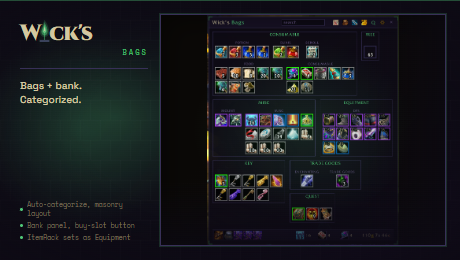
Bags and bank in one window, sorted the way you say.
CurseForge
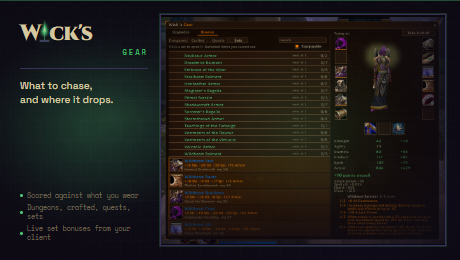
Wick's Gear
Wick's Gear
What to chase while levelling, and where it drops.
CurseForge
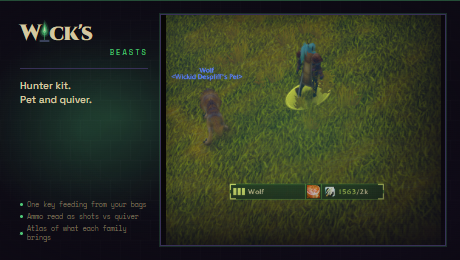
Wick's Beasts and Things
The hunter kit: pet care, ammo and a beast atlas.
CurseForge
Wick's Conjures and Things
The mage kit: rations, reagents and every portal you know.
CurseForge
Wick's Poisons and Things
The rogue kit: coatings, combo points and weapon swaps.
CurseForge
Wick's Stances and Things
The warrior kit: three stances and a smart key.
CurseForge

Wick's UI is out now.

Free on CurseForge for WoW Forever. It needs WickCore, also free on CurseForge. Type /wui in game for the settings.

Get it on CurseForge → GitHub → The whole suite